The useful thing about the MuninX ChatGPT app is not proximity to the queue.
Lots of things can be near a support queue. Browser tabs. Dashboards. That one Slack thread where someone confidently remembered the wrong customer. Proximity is not the win.
The win is that ChatGPT can work with MuninX support data through a supported connection, using the connected user’s MuninX permissions. That makes it good for the jobs around support work: sorting the queue, finding context, checking history, summarizing patterns, and drafting something a human can review before it becomes a customer-facing promise.
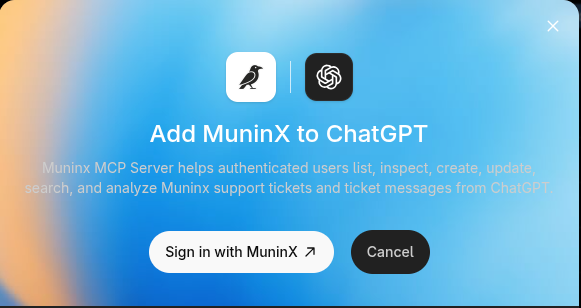
It is the easiest MuninX AI-client setup path if the client you want to use is ChatGPT. Connect from ChatGPT, authorize MuninX, and ask a support question. No local MCP client configuration. No personal API token sitting in a local settings file, hoping everyone remembers why it exists.
That lowers the adoption tax. It does not remove judgment.
Start with triage, not replies
The first prompt should be boring:
Which MuninX tickets need my attention today?
That is a better first test than asking ChatGPT to write customer replies immediately.
Queue triage is inspectable. You can compare the answer with the actual tickets. You can see whether the app found the right records, whether the priorities make sense, and whether the summary missed something obvious. If the output is wrong, the cost is low. You learned where the connection, permissions, or prompt needs adjustment before anyone sends a polished mistake to a customer.
Good early prompts look like this:
- Which open high-priority tickets are waiting on us?
- Summarize new tickets created today by urgency.
- Which tickets have not had a staff reply yet?
- Show ticket workload by priority for this week.
- Find tickets that mention the same issue as this customer report.
These prompts match real support jobs. They do not ask ChatGPT to be the support team. They ask it to reduce the digging before a support person makes the decision.
That distinction sounds small until the queue is busy. Then the difference between “read these twenty tickets and tell me what needs attention” and “please improvise our customer communication policy” becomes less philosophical and more payroll.
Use history before writing the answer
Support teams repeat themselves, but rarely in a perfectly reusable way.
The same bug report may show up from a different customer tier. The same billing confusion may have a different contract detail. The same onboarding question may have been answered last month, but the product has changed since then because software enjoys making liars of documentation.
The MuninX ChatGPT app can search visible ticket content and inspect ticket messages, which makes it useful before drafting a reply. Ask it to find related support history first:
- Have we answered this issue before?
- Summarize previous tickets from this organization.
- Find tickets that mention this error message.
- What did we tell customers the last time this happened?
The point is not to copy the old answer. The point is to avoid starting from memory, vibes, and a half-remembered internal note.
Old tickets are evidence. They show prior wording, escalation paths, ownership, known caveats, and the places where the previous answer was too vague. ChatGPT can pull that context into view quickly. The human still decides whether the old pattern applies to the current customer.
This is especially useful for small teams where support knowledge lives in a few people’s heads and one heroic search query. The app gives ChatGPT a cleaner way to ask MuninX for the relevant records instead of making the operator paste chunks of ticket history into a chat box until the browser tab starts to feel like a confession.
Drafts are drafts
The MuninX ChatGPT app can help draft replies for review.
That last part is load-bearing.
A good draft workflow is:
- Inspect the ticket and recent messages.
- Search related support history.
- Ask ChatGPT to propose a reply using only visible MuninX context.
- Review the draft for accuracy, tone, policy, and commitments.
- Send the final answer only after a human owns it.
This keeps the useful part of AI close to the work without pretending the model has accountability. A reply draft can save time, especially when the message is a status update, a clarification request, or a summary of known next steps. It can also sound more certain than the underlying facts deserve. Customer-facing confidence is cheap to generate and expensive to repair.
Review for the specific failure modes:
- Did it promise a timeline nobody approved?
- Did it expose internal notes or internal reasoning?
- Did it overstate the fix?
- Did it ignore the customer’s tier, contract, or previous history?
- Did it answer the general issue while missing the actual question?
This is not anti-automation. It is pro-ownership. Support teams already review human-written messages because humans also produce impressive nonsense under pressure. AI drafts deserve the same operational respect, with fewer assumptions about intent.
Permissions are still the boundary
The ChatGPT app does not turn the connected user into a different MuninX user.
MuninX role permissions still apply. Admins, agents, and customers may see different tickets or have different write permissions. Customers do not see internal notes when their role should not allow them to see internal notes. If a connected user cannot access a record in MuninX, ChatGPT should not be treated as a shortcut around that boundary.
This matters in two practical ways.
First, incomplete answers may be permission-shaped. If ChatGPT summarizes fewer tickets than expected, check what the connected MuninX user can actually see before assuming the app has developed a mysterious opinion about your queue.
Second, write-capable workflows should be introduced deliberately. Listing, inspecting, searching, and analytics are safer first workflows because mistakes are easier to catch. Creating or updating tickets and creating messages should come after the team understands how the app behaves for the connected user role.
The boring access-control sentence is the one that lets the workflow scale beyond the founder’s laptop. Keep it visible.
When the ChatGPT app is the right path
Use the ChatGPT app when ChatGPT is where the support work should happen.
That sounds obvious, but it avoids a lot of integration theater. If the operator wants to open ChatGPT and ask about today’s queue, the ChatGPT app is the cleanest path. It avoids local MCP configuration and local token handling, and it gives non-technical users a more direct way to use MuninX with an AI client.
Use direct MuninX MCP setup when you want to connect MuninX to Codex, Claude Code, or another MCP-compatible client with a personal API token. That path is better when the AI client lives in a technical workflow and explicit configuration is part of the point.
Use Smithery when managed MCP setup and connection discovery are the bigger problem than direct control.
The operating rule is simple:
- ChatGPT app for ChatGPT-native support work.
- Direct MCP for explicit technical client setup.
- Smithery for managed MCP connection setup.
All three paths should respect MuninX permissions. The choice is mostly about where the AI work happens and who should own the connection setup.
A useful first week
Do not start by redesigning support around ChatGPT.
Start with one week of read-heavy workflows:
- Every morning: ask which visible tickets need attention today.
- Before replying: ask for related ticket history.
- Before a support review: ask for ticket workload by priority.
- Before escalating: ask ChatGPT to summarize the ticket timeline and open questions.
- After drafting: review the reply like it came from a very fast teammate who occasionally sounds more certain than it should.
That gives the team a practical sample of where the app helps and where human judgment remains non-negotiable.
If the first week saves time on triage, history search, and summary work, expand from there. If it produces confusing answers, tighten the prompts, check permissions, and keep the workflows read-only until the behavior is easy to inspect.
The goal is not to make support feel futuristic. The goal is to make the queue less dependent on tab-hopping, memory, and whoever happens to know where the last answer is buried.
Connect MuninX in ChatGPT from the official setup guide, then ask the least glamorous useful question first:
Which tickets need my attention today?
That is where the app earns trust. One boring, checkable support workflow at a time.