The MuninX API is live.
This is the useful kind of product update: you can now connect support work to the systems already creating it, instead of asking someone to copy the same customer, incident, and queue data between tabs.
The first release is a REST API for tickets, messages, customer organizations, users, search, analytics, and workspace settings. It uses personal bearer tokens and ships with an OpenAPI specification. There are no official client libraries yet. Your HTTP client has been promoted.
Here is the practical surface.
Start with a boring handoff
The best first integration is rarely the cleverest one. It is the handoff your team already performs manually and occasionally forgets.
Suppose a scheduled import fails for a paying customer. The application has the useful context: customer email, job name, error, retry count, and account tier. Support needs an owned ticket before the customer discovers the failure and writes a much more colorful version of the incident report.
Creating that ticket is a small integration with a clear job:
curl --request POST 'https://api.muninx.com/tickets' \
  --header "Authorization: Bearer $MUNINX_API_TOKEN" \
  --header 'Content-Type: application/json' \
  --data '{
    "priority": "high",
    "title": "Customer import failed after final retry",
    "body": "Import job imp_7842 failed for [email protected] after three attempts."
  }'
The request creates the ticket and its initial message. What happens around that request matters more than the six lines of curl: do not include secrets in the body, keep the event identifier for deduplication, log the returned ticket ID, and define who owns the resulting queue.
Automation that creates unowned work is technically successful and operationally useless. Computers are very good at meeting the narrow wording of a requirement.
Use account data as context, not decoration
Customer organization endpoints let an admin integration create, look up, update, and suspend account records. That makes a useful sync possible between your billing or CRM system and the support queue.
Keep the sync narrow. Company name, known domains, and active or suspended status can help support identify the account behind a request. Copying every field from your CRM because it exists creates a second CRM, except this one is maintained by a script everyone is afraid to touch.
The same rule applies to users. The API can list, invite, update, and remove users, subject to the caller’s permissions. Good uses include provisioning support access during onboarding and removing it during offboarding. Treat those as access-control workflows: record failures, retry carefully, and make partial completion visible.
Pull answers out, too
An API should not only pour work into the queue.
Search can locate tickets and message content visible to the authenticated user. Analytics can return ticket counts and average first-reply, response, or resolution times, with grouping and filtering. That supports small internal jobs such as:
- adding queue metrics to an operations report
- checking ticket volume by status or priority
- finding related support history before an escalation
- auditing whether a recurring product failure is creating repeat tickets
The role boundary still applies. An agent token does not quietly become an admin because the request came from a cron job. Analytics and ticket results are filtered to records the authenticated user can access.
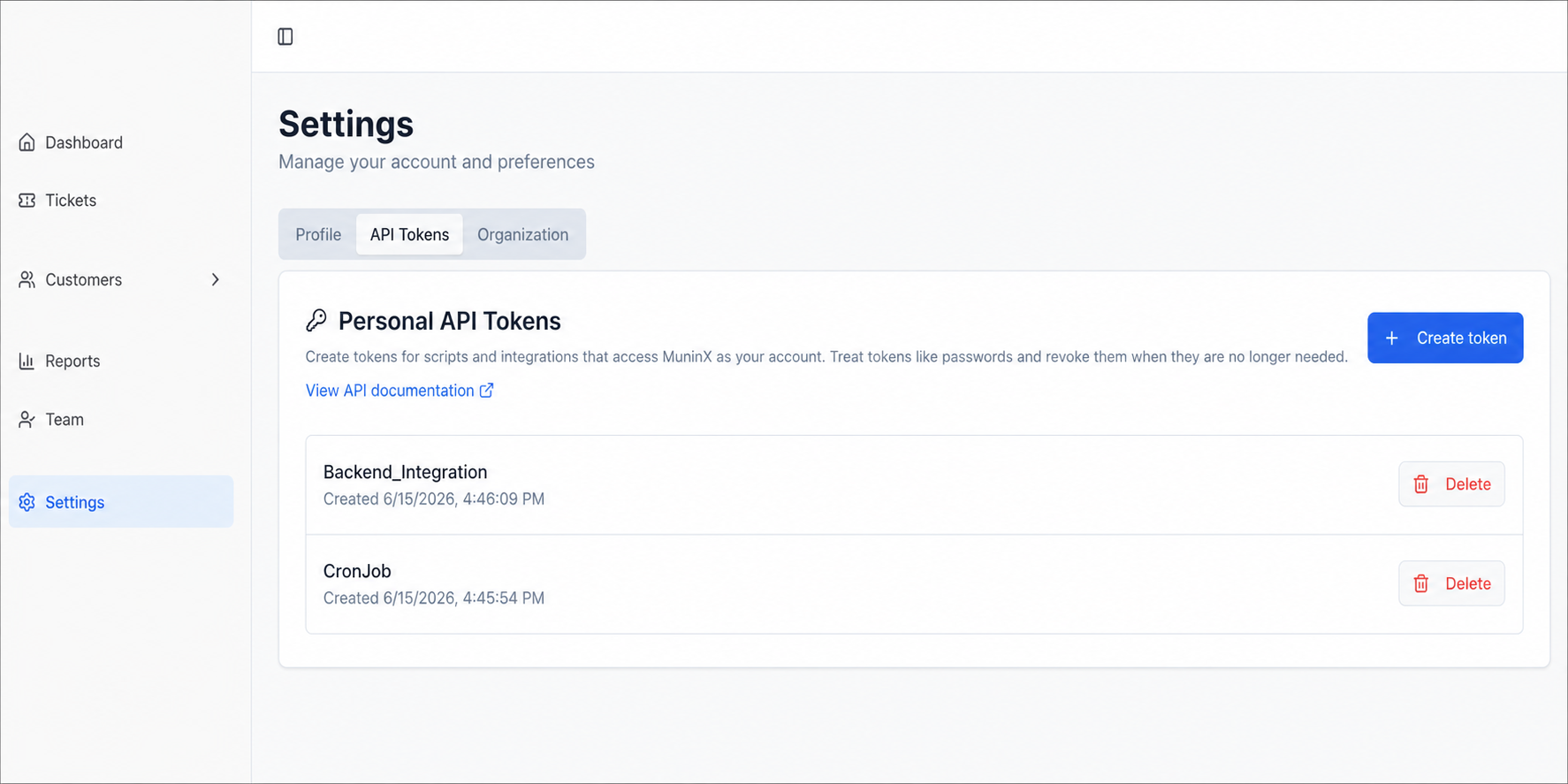
The current boundaries
This release is deliberately plain:
- It is a REST API at
https://api.muninx.com. - Authentication uses personal API tokens sent as bearer tokens.
- Tokens inherit the tenant scope and role permissions of the user who created them.
- The raw token is shown once and should be revoked when an integration no longer needs it or may have exposed it.
- The published OpenAPI file is the authoritative contract.
- There are no official MuninX client libraries today.
- Webhooks are not part of the currently documented API, so integrations should not assume event delivery exists.
Use the authentication guide for token handling and the API reference for request schemas, pagination, filters, response codes, and permissions. Repeating all of that here would create two sources of truth, which is how documentation starts developing opinions.
Start with one handoff that is frequent, structured, and expensive to miss. Put it behind a small script, give it an owner, and watch what it does to the queue before automating the next thing.